
Figma is a collaborative, cloud-based design platform that lets you create professional graphics, layouts, and visual assets directly in your web browser without installing software or paying upfront costs. For musicians and music industry professionals, it offers a practical way to design everything from album covers and social media graphics to press kits and tour posters, giving you creative control over your visual brand without relying on expensive designers for every project.
Unlike traditional design software that requires installation, file management, and often steep learning curves, Figma runs entirely online and saves your work automatically. This makes it particularly valuable for touring musicians who work across multiple devices or collaborators spread across different locations. The platform has become an industry standard since its 2016 launch, trusted by designers at major companies and independent creators alike.
The pricing structure shifted in March 2025, but the free Starter plan remains available and includes access to core tools like Figma Design, FigJam (for brainstorming and planning), and Figma Slides. All paid seats now bundle the complete suite: Figma Design, Make, Draw, Dev Mode, FigJam, Slides, Motion, Sites, and Buzz. Prices are listed in USD, which Canadian musicians should factor into their budgets.
What makes Figma especially relevant to music professionals is its real-time collaboration feature. You can work simultaneously with bandmates on tour artwork, share feedback with your manager on promotional materials, or hand off finished designs to venues and promoters with a simple link. No version confusion, no endless email attachments, no compatibility issues between Mac and Windows users.
This guide explains what Figma does, how musicians can use it effectively, and whether its capabilities justify the investment of time or money for your specific needs.
What Figma Offers Musicians and Music Professionals
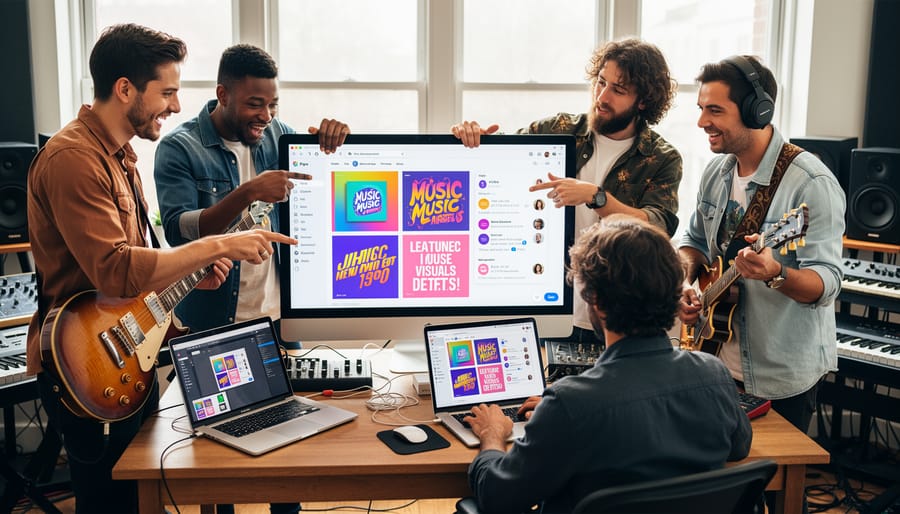
Figma delivers three capabilities that directly solve everyday frustrations musicians face when creating visual materials: browser-based accessibility, real-time collaboration, and cloud storage that eliminates version chaos.
Unlike traditional design software that requires expensive installations and constant updates, Figma runs entirely in your web browser. You can start designing album artwork on your laptop at home, continue on a studio computer during downtime, and make final tweaks from your phone before a release deadline. This matters enormously for touring musicians who can’t carry design software licenses across devices or Canadian artists collaborating with international teams across different operating systems.
The collaboration features transform how musicians work with creative teams. When you’re refining a tour poster with your designer in Toronto while your manager reviews from Vancouver and your label provides feedback from Nashville, everyone sees changes instantly. No more emailing ten versions of a file back and forth. No more “final_final_v3_ACTUALLY_FINAL.jpg” confusion. Your designer moves an element, you watch it happen in real time, and your manager adds a comment directly on the canvas pointing to exactly what needs adjustment.
This real-time editing eliminates the painful feedback loops that typically stretch simple design revisions across days. Instead of describing changes in an email (“Can you move the text down a bit?”), you can jump into the file yourself, try the adjustment, and let your designer refine it from there. For time-sensitive releases or last-minute festival announcements, this immediacy becomes essential.
Figma’s version history automatically saves every change, letting you roll back to yesterday’s layout if today’s experiments don’t work. For musicians managing visual branding across streaming platforms, social media, and physical merchandise in both Canadian and international markets, this centralized system ensures your logo, colour palette, and typography remain consistent whether you’re releasing in Montreal or Melbourne.
Figma’s Product Suite: What’s Included in 2026
Figma’s product lineup has expanded considerably, transforming from a single interface design tool into a comprehensive creative workspace. Understanding what’s included matters for musicians evaluating whether this platform serves their needs beyond basic graphics.
Figma Design forms the core product, encompassing several integrated capabilities. The main interface lets you create vector graphics, layouts, and visual designs, think album covers, merch mockups, or website concepts. Figma Make provides simplified workflows for quick projects when you don’t need full design complexity. Figma Draw offers freehand sketching tools useful for rough concepts or stylized artwork. Dev Mode serves technical users, but musicians rarely need this unless you’re building your own website from scratch.
FigJam functions as a digital whiteboard for brainstorming and planning. Musicians use it to map tour routing, plan festival schedules, sketch stage designs, organize content calendars, or collaborate with your team on marketing campaigns. It’s included with all paid seats and available on the free Starter plan.
Figma Slides creates presentations without switching to separate software. Canadian artists pitching to labels, investors, or festival bookers can build professional decks incorporating their existing visual assets. Since it’s bundled with all paid plans, there’s no added cost for pitch materials.
Figma Motion handles animations and motion graphics, particularly valuable for musicians creating content for Instagram Stories, TikTok, or YouTube channel graphics. Short animated clips announcing tour dates or new releases carry more visual punch than static images.
Figma Sites publishes simple websites directly from your designs. Independent artists can build landing pages for single releases, tour announcements, or EPK hosting without hiring a developer or subscribing to separate web platforms.
Figma Buzz facilitates real-time collaboration and communication within the platform, letting you coordinate with designers, managers, or bandmates as projects evolve.
All these tools sit within the same workspace, eliminating the fragmented workflow many musicians face when juggling multiple subscriptions. Whether you’re on the free plan experimenting with your visual brand or paying for professional features, you gain access to an interconnected suite rather than isolated applications.
Practical Applications for Musicians and Songwriters
Collaborating with Designers and Team Members
Figma transforms how musicians collaborate with creative teams by letting everyone work on the same design file simultaneously, regardless of location. For Canadian artists coordinating with designers in Toronto, managers in Vancouver, and international collaborators across different time zones, this real-time editing eliminates the endless email chains and outdated file versions that plague traditional design workflows.
The platform’s commenting system lets team members leave feedback directly on specific elements, a designer can ask about color preferences for tour artwork, while a manager suggests layout adjustments for music marketing materials, all within the same workspace. Musicians can reply to comments, approve changes, or request revisions without switching between apps or losing context.
Permission controls ensure artists maintain creative oversight while empowering collaborators to contribute effectively. You can grant view-only access to stakeholders who need visibility, editing rights to trusted designers, or restrict sensitive branding elements until they’re finalized.
For teams on Professional, Education, Organization, or Enterprise plans, open sessions allow temporary collaborators, such as a festival promoter reviewing stage visuals or a publicist accessing press kit designs, to join specific projects without requiring paid seats. This flexibility proves particularly valuable for independent Canadian artists managing tight budgets while maintaining professional standards across domestic and international markets.
Maintaining Brand Consistency Across Markets
When you’re releasing music across different territories, streaming platforms in Canada, physical distribution internationally, social media campaigns in various markets, maintaining a cohesive visual identity becomes crucial. Figma’s design systems and component libraries solve this challenge by centralizing your brand assets in one accessible place.
Create a shared library containing your logo variations, color palettes, typography choices, and standard layouts. When your team designs promotional materials for a Toronto show or a European festival appearance, they’re pulling from the same source of truth. If you update your brand colors or refine your logo, those changes propagate across all linked files automatically, no need to manually update dozens of social media templates or tour posters.
This matters particularly when working with collaborators across time zones. Your Canadian manager, an international publicist, and a designer in another country can all access and apply your established visual guidelines without constant back-and-forth. Components like pre-built Instagram story templates or press photo frames ensure your brand reads consistently whether someone encounters you on Spotify Canada, a festival lineup poster in the UK, or a music blog based anywhere in the world.
The result is professional cohesion that builds recognition. Fans see the same visual language across touchpoints, reinforcing your identity as they move between platforms and markets.
Understanding Figma’s Pricing for Music Professionals
Figma’s pricing structure balances accessibility with professional features, making it viable for musicians at different career stages and budget levels. The platform offers four main tiers, and understanding what each includes helps you avoid costing you thousands on design work you could handle yourself or with a smaller team.
The free Starter plan gives individual musicians unlimited personal files, access to FigJam for brainstorming, and the ability to collaborate with one other editor at a time. You can explore all of Figma’s core design tools without paying anything, which makes it ideal for testing whether this online design program fits your workflow before committing financially.
Following pricing changes that took effect in March 2025, all paid seats now include access to FigJam and Figma Slides alongside Figma Design, which itself encompasses Figma Make, Figma Draw, Dev Mode, Figma Motion, Figma Sites, and Figma Buzz. This consolidation means you’re not paying separately for collaboration and presentation tools.
| Plan | Key Features | Collaboration | Best For |
|---|---|---|---|
| Starter (Free) | Unlimited personal files, core design tools, FigJam | 1 additional editor | Solo artists exploring visual branding |
| Professional | Full product suite, unlimited version history, open sessions | Unlimited editors | Bands, duos, artist-manager teams |
| Organization | Team libraries, centralized billing, org-wide permissions | Unlimited editors, advanced controls | Small labels, multi-artist collectives |
| Enterprise | Advanced security, dedicated support, custom contracts | Unlimited editors, enterprise-grade security | Larger labels, major music organizations |
Professional and higher plans support open sessions, letting you share live design work with clients or collaborators who don’t need full editing seats, useful when presenting concepts to label executives or gathering feedback from your Canadian fanbase before launching visuals internationally.
Prices are shown in USD for Canadian users, so factor in currency conversion when budgeting. Most independent musicians and small bands find the Professional tier sufficient for maintaining brand consistency across releases and promotional materials, while the Starter plan works well for those just beginning to build their visual identity.
Getting Started: First Steps for Musicians
Creating your Figma account takes less than five minutes. Head to and sign up using your email, Google account, or Apple ID. You’ll land directly in your workspace, no complex setup wizards or installation required since Figma runs entirely in your browser.
Start with the free Starter plan. It gives you three design files and three FigJam boards, which is plenty for experimenting with album artwork mockups, social media templates, or a basic press kit layout. You can always upgrade later if you need more files or collaboration features, but the Starter plan lets you learn the interface and build confidence without spending anything.
Once inside, ignore the intimidation factor. Figma’s toolbar sits along the top and left side, shape tools, text, frames, and selection are the basics you’ll use most. Click around, drag elements, change colors. The canvas won’t break, and you can undo anything with Command+Z (Mac) or Control+Z (Windows).
Templates save you hours. Browse the Community tab in your workspace for free starting points. Search “album cover,” “press kit,” “band poster,” or “musician EPK” to find pre-built designs you can duplicate and customize. Many designers share templates specifically for music professionals, you’re adapting their structure, not starting from scratch.
Don’t feel pressured to master every feature immediately. Focus on replacing one design task you’d normally outsource: maybe your next single artwork or an Instagram story template for gig announcements. Learn by doing, not by watching hours of tutorials. You’re a musician who needs functional visual assets, not a designer pursuing perfection. Figma rewards that mindset, it’s a tool for making, not a gatekeeper requiring credentials.
Common Questions Musicians Ask About Figma
Musicians considering Figma often have specific concerns about how this design platform fits into their existing workflows and creative processes. These questions reflect real considerations about protecting intellectual property, managing budgets, and maintaining professional standards while learning new skills.
Do I need design experience to use Figma effectively?
No formal design training is required. Figma’s interface is intuitive enough for musicians to learn basics like resizing elements, changing colors, and working with templates within a few hours. Many artists start by customizing existing templates for social media posts or simple promotional materials before progressing to more complex projects.
Who owns the files I create in Figma?
You retain full ownership and copyright of designs you create in Figma, which is crucial for artists protecting their visual brand and intellectual property. Files remain your property whether you’re using the free Starter plan or paid tiers, and you can export them in multiple formats to maintain control outside the platform.
Can Figma work offline or do I need constant internet access?
Figma requires an internet connection to function since it’s a cloud-based platform. This limitation can pose challenges for musicians working while traveling or in areas with unreliable connectivity, though you can view recent files in a limited read-only mode offline.
Should I replace my graphic designer with Figma?
Figma complements rather than replaces professional designers for most musicians. It’s ideal for routine updates, quick social media graphics, and collaborative projects where you provide direction to designers, but complex branding work, album packaging, and high-stakes visuals still benefit from professional expertise.
Understanding these practical realities helps musicians make informed decisions about integrating Figma into their creative toolkit. The platform works alongside other software many artists already use, including exporting files compatible with Adobe Creative Suite, Canva, and various printing services. For Canadian musicians building sustainable careers, Figma represents an investment in self-sufficiency that aligns with broader advocacy for fair compensation by reducing dependence on outsourced design for every minor update or market-specific variation. The free Starter plan provides enough functionality for solo artists testing whether design work fits their interests and workflow before committing to paid tiers that start at Professional level, with all paid seats now including FigJam and Figma Slides as of the March 2025 pricing changes.
Figma represents more than just another design tool, it is a shift in how musicians can approach their careers with greater autonomy and creative control. Fair compensation in the music industry encompasses not only collecting royalties and defending publishing rights, but also protecting artists’ time and budgets by providing accessible tools that reduce dependency on expensive external services. For Canadian musicians building sustainable careers, controlling your visual identity alongside your sonic output is no longer optional; it is essential for competing in international markets while maintaining professional standards.
The expanded product suite available in 2026, spanning design, collaboration, presentation, motion, and web publishing, offers Canadian artists a comprehensive creative platform that grows with their needs. Whether you start with the free Starter plan to design your first single cover or eventually upgrade to Professional for team collaboration on tour campaigns, Figma scales alongside your ambitions. The investment of time learning these tools pays dividends in creative independence, faster iteration cycles, and the ability to maintain brand consistency across every touchpoint where fans encounter your work. Artists who embrace visual excellence alongside musical craftsmanship position themselves for long-term success in an industry where every detail of presentation matters.